Table of Contents
How To Import Property Data For Cepco Management #
This guide walks you through the process of accessing the Cepco Management portal to download the necessary sample template. Following these steps will help you correctly format and import your property data into the system.
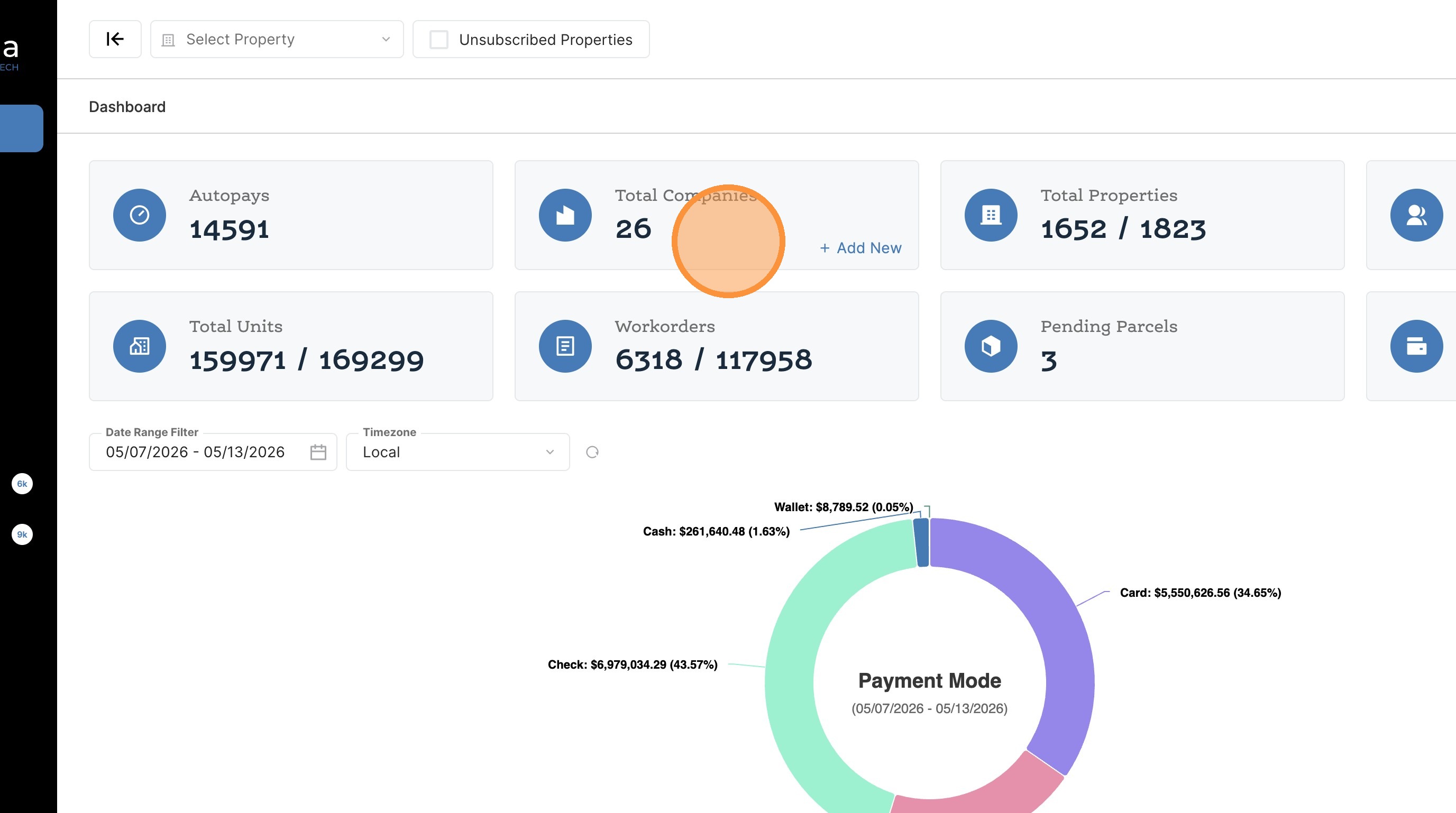
1. Click the Total Companies tile on the dashboard.
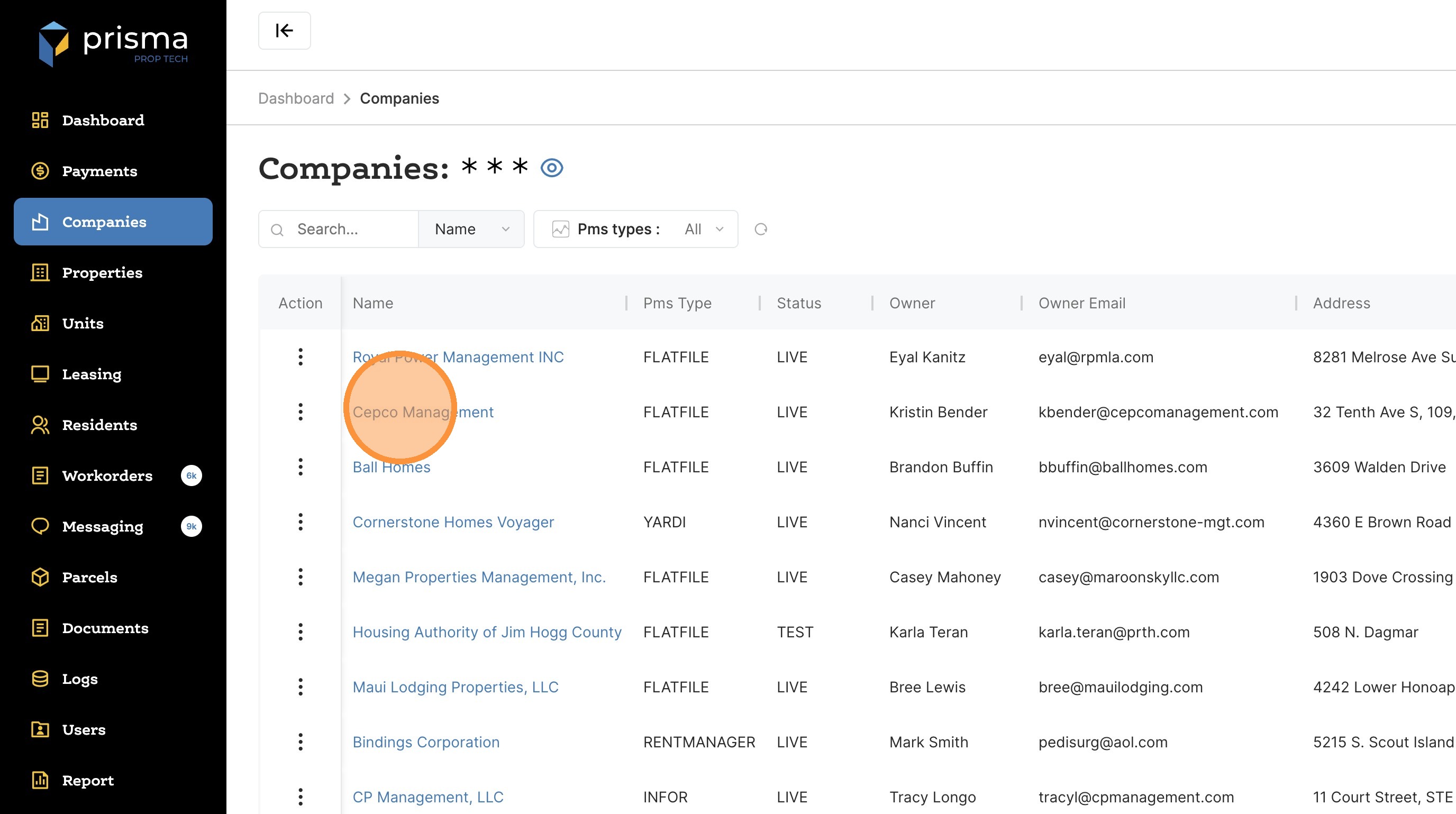
2. Select the desired company from the list.
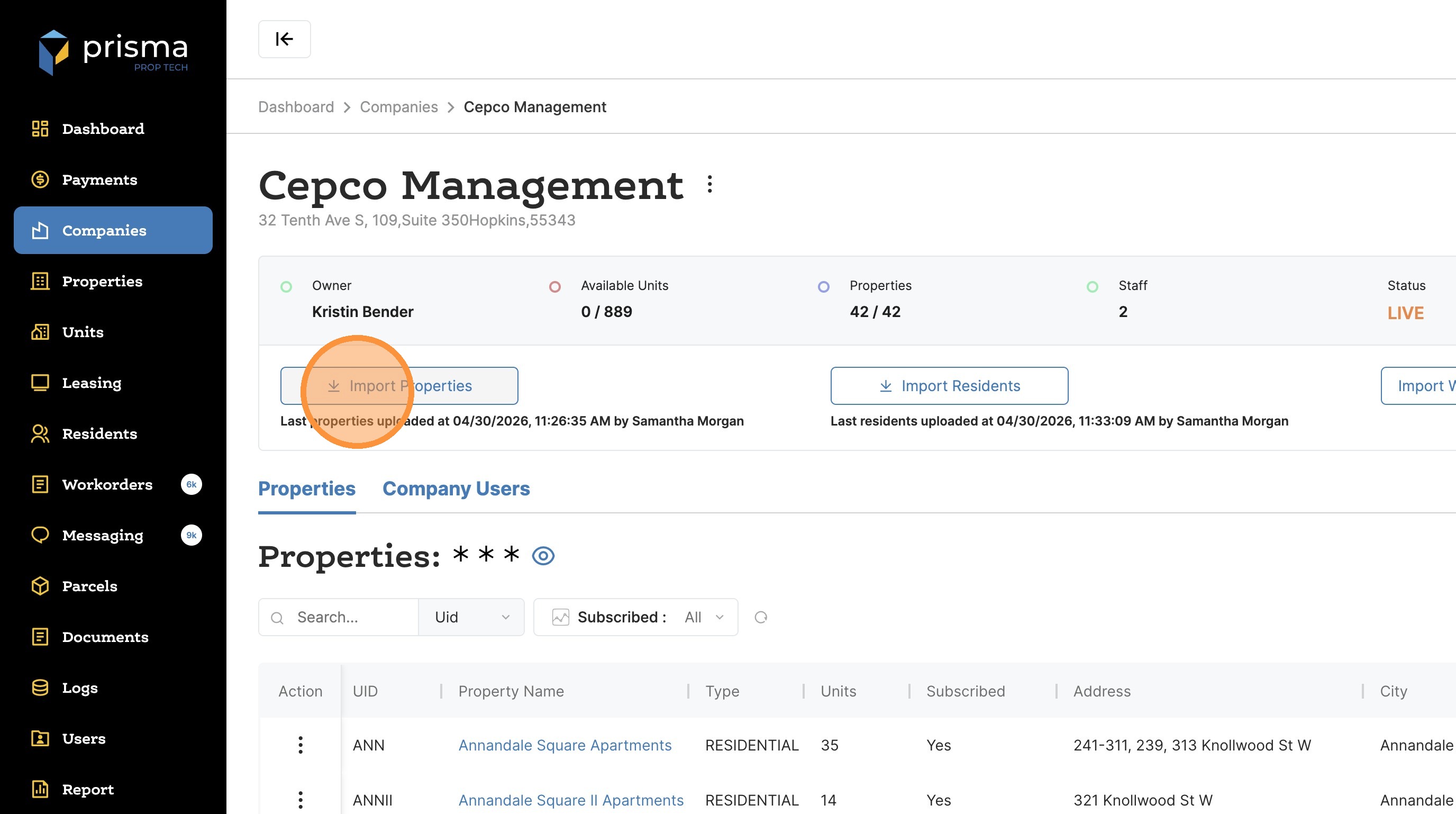
3. Click “Import Properties”
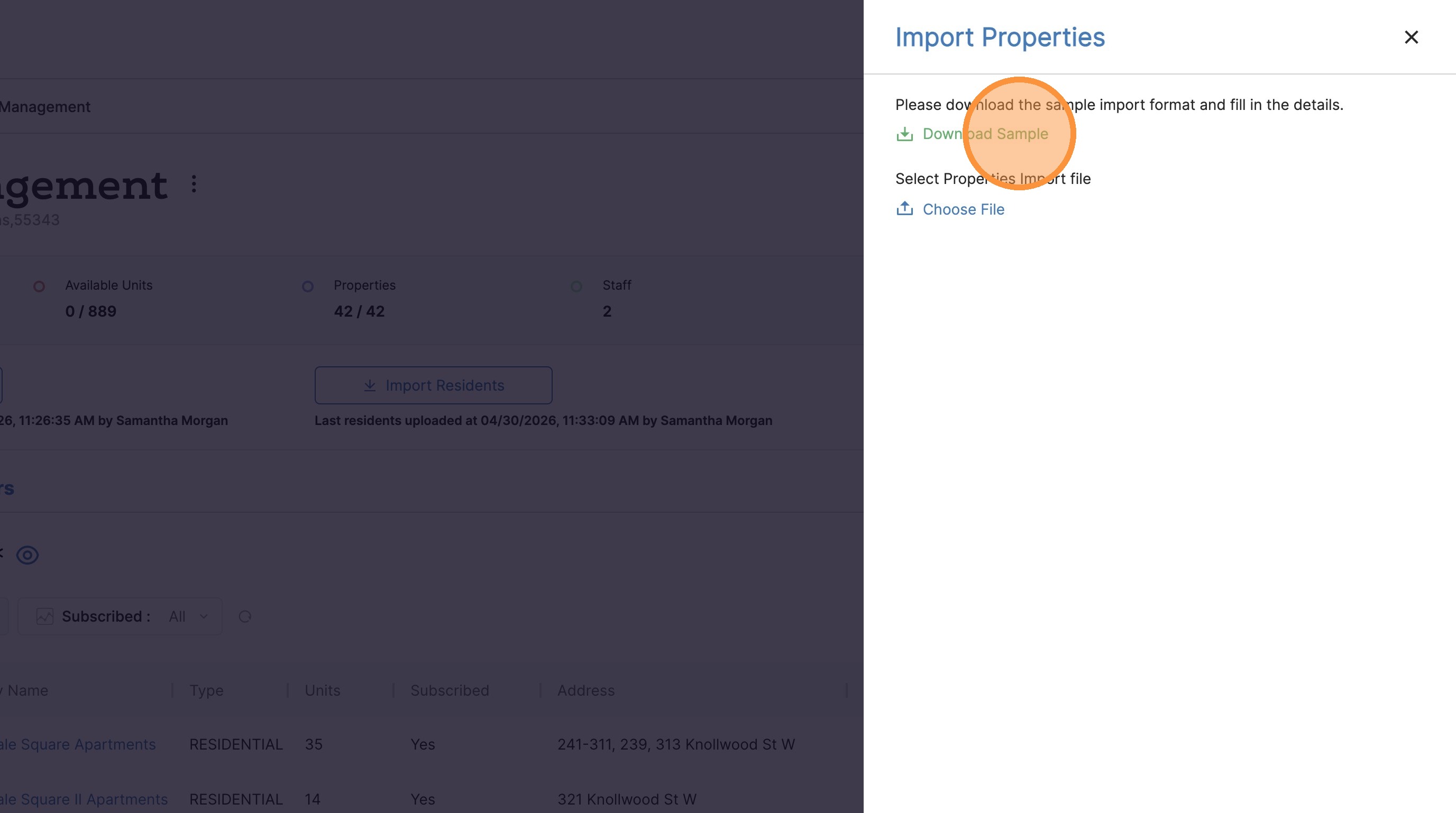
4. Click Download Sample in the Import Properties modal.